Why do I need to create an account to use the platform?
Creating an account allows you to save your property searches, set up alerts for new listings, and contact sellers directly. The account also provides a personalized experience tailored to your real estate needs.
Can I use the platform without an account?
You can browse listings without an account, but to access full features such as saving favorites or contacting sellers, an account is required.
How do I create an account?
You can create an account by clicking the “Create an Account” button. Enter your details following the steps provided, and then you will receive a confirmation email.
How can I change my information?
After logging into your profile, click on “My account” and your details will be displayed there. Make the necessary changes and at the bottom of the page click the “Save” button.
What should I do if I have forgotten my password?
On the login page, click “Forgot password” and enter the email address linked to your account. You will receive a link to reset your password.
Are my personal data safe?
Absolutely. We prioritize your privacy and security. All personal information is encrypted and stored securely, in compliance with data protection regulations.
How can I find properties that match my budget and preferences?
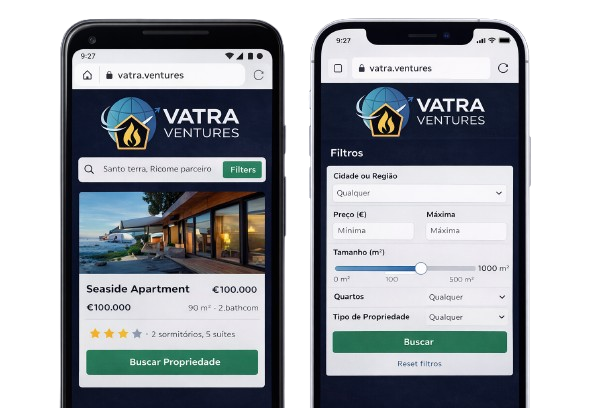
Use our advanced search filters to select your price range, preferred location, property type, and more to find listings that match your criteria.
How can I tell if a listing is still valid?
Since we are not intermediaries, we do not know when a property is sold or rented. The responsibility for removing or deactivating a listing lies with the advertiser. In any case, listings expire periodically, and the advertiser is responsible for renewing them; if they choose not to do so, the listing is automatically removed from the website.
How do I publish a listing?
After logging in, on the homepage select the “Post a listing” option. Follow the required steps and carefully fill in all the fields. You can also read the article “Tips for new listings,” which will help you create an attractive listing.
When is my listing published after I upload it?
Your listing will be published within 24 hours after submission, pending a review process to ensure it meets our platform standards. Listings with an additional (paid) service are given priority.
Can I edit my listing after I have published it?
Yes, you can update your listing at any time. Just go to “My listings,” select the property you want to edit, and make the necessary changes.
Where should I go if I am having problems with the website?
For any malfunction or difficulty using the website, send an email to info@vatraventures.com
along with your first and last name, or request assistance from our online operator, who can answer your questions or provide immediate help via chat.